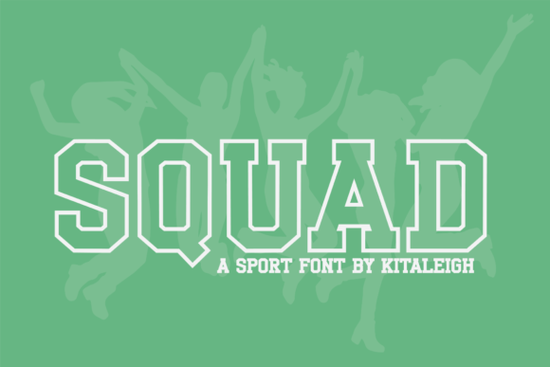
If you are designing team apparel, event posters, or athletic branding, Squad Font gives you a clean, all-caps display typeface that reads clearly from a distance. It takes the familiar varsity lettering style and updates it with sharp outlines and structured spacing, so your text looks organized without feeling dated. Print-on-demand sellers and small business owners often choose this style because it works well on jerseys, banners, and social media graphics where quick readability matters.
How does this typeface handle sports and team projects?
The design relies on an outline structure with crisp edges, which keeps letters distinct even when scaled down for hang tags or enlarged for stadium signage. Because it uses only uppercase characters, you get consistent height and visual weight across every word. That uniformity helps when you are laying out player names, tournament dates, or sponsor credits. The font also includes numbers, standard punctuation, and accented characters, so you can type multilingual team rosters or regional event details without switching to a secondary typeface. When you need a reliable companion for blocky athletic layouts, you might also browse a traditional lettering collection that focuses on interlocking initials and classic school aesthetics.
Which file formats and software work best?
Most display typefaces in this category ship with standard OTF and TTF files, which install directly on Windows and Mac systems. Once installed, the font appears in design programs like Illustrator, Photoshop, Canva, and Cricut Design Space. For crafters cutting heat transfer vinyl, the outline style weeds cleanly because the strokes maintain even thickness. Print-on-demand sellers uploading to platforms like Printful or Merch by Amazon will find that the sharp edges hold up well during DTG printing and embroidery digitizing. If your workflow leans toward streetwear or modern athletic brands, pairing this style with an industrial-inspired typeface can create a balanced contrast between structured letters and gritty textures.
What should I watch out for when setting text?
All-caps fonts require careful tracking and line height adjustments. Since every character shares the same height, tight spacing can cause outlines to overlap and reduce legibility. I recommend adding a small amount of letter spacing, especially for longer phrases or subheadings. When placing text over busy backgrounds or team photos, use a solid color block or a subtle drop shadow to keep the outlines readable. For quick mockups, you can test how the letters sit alongside a streamlined sans serif option to handle body copy while the display font carries the main headline. Keep your color palette simple; high-contrast combinations like white on navy or black on athletic red usually perform best for sports graphics. You can also explore how this specific style fits into a broader curated display typeface gallery when you are gathering assets for a seasonal campaign.
Can I use it for commercial products and client work?
Licensing depends on where you download the files and how you plan to sell the final designs. Most marketplace listings offer a commercial license that covers physical products, digital downloads, and client projects, but you should always verify the terms before listing items for sale. If you are creating templates, logos, or editable files for customers, check whether the license allows embedding or redistribution. For designers who frequently build athletic branding packages, keeping a dynamic alternative on hand gives you flexibility when a client wants a slightly different stroke weight or letterform style. You can preview the latest licensing details and download options for Squad Font directly through the official marketplace search.
How do I get the best results before printing or cutting?
Running a quick pre-flight check saves time and prevents wasted materials. Follow these steps before sending your design to production:
- Convert text to outlines in your vector software before exporting final print files.
- Test a small sample on your actual material, especially if you are using flock, glitter, or reflective vinyl.
- Increase letter spacing by 10 to 20 units to prevent outline collision on longer words.
- Use high-resolution PNG exports with transparent backgrounds for mockups and web previews.
- Keep a backup of the original font file in an organized asset folder for future edits.
Start with a simple three-word phrase on a test shirt or poster board. Check how the outlines hold up after washing or cutting, adjust your spacing if needed, and then scale up to full production runs.
Get Started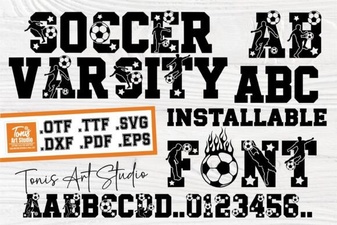 Ab Soccer Font: Design & Diy Jersey Ideas
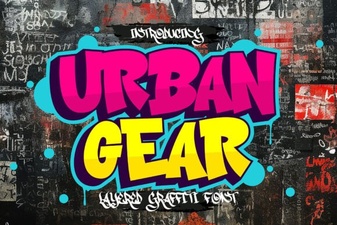 Urban Gear Font: Design Style for Modern Projects
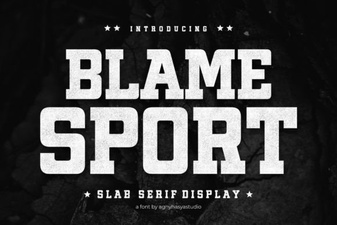 Blame Sport: a Bold Font for Creative Projects
 Floxy Font: Creative Ideas for Typography Projects
 Classic 1983 Font for Modern Digital Design
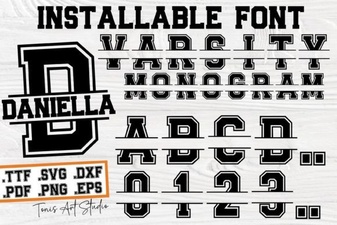 Craft Your Own Varsity Letter Monogram