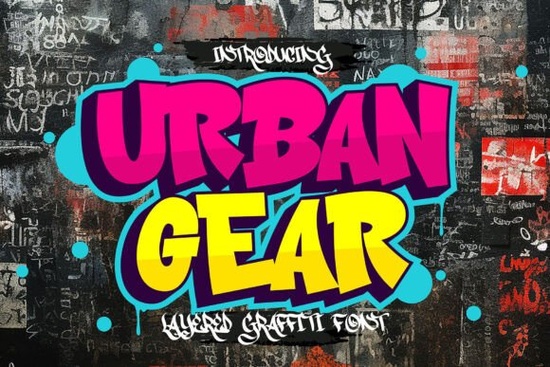
If you need a typeface that captures the raw energy of street art without hand-drawing every letter, Urban Gear Font delivers exactly that. This bold, layered graffiti typeface brings a spray-painted texture straight to your design workspace. Instead of flat vector shapes, you get built-in depth, rough edges, and overlapping color zones that mimic real wall murals. Whether you are designing streetwear graphics, event posters, or print-on-demand stickers, the font handles the heavy lifting so you can focus on layout and composition.
What makes this graffiti style font stand out?
Most display typefaces rely on clean lines and uniform weights. This one takes the opposite approach. The letterforms are intentionally uneven, with distressed edges that recreate the look of multiple spray passes. The texture is baked into the glyph structure, so you do not need separate grunge overlays to get that worn, urban feel. Each character includes separate layer files, allowing you to mix base colors, highlights, and shadow accents directly in your software. The result is a ready-to-use street aesthetic that still feels handcrafted.
How do the layered textures work in design software?
Working with layered fonts requires a slightly different workflow. When you install the family, you will notice multiple files labeled for base, outline, shade, and texture. To get the full effect, stack the same word on separate text layers in your program. Align them perfectly, then assign a different color to each layer. This method works smoothly in Illustrator, Photoshop, Affinity Designer, and Canva if you upload the individual OTF or TTF files. Keep in mind that proper layer alignment is essential. Turn on snap-to-grid to prevent unwanted gaps between color zones. If you prefer a flatter look, simply use the base layer and skip the texture files.
Where does this street-style typeface fit best?
The heavy weight and rough edges make it a natural choice for projects that need immediate visual impact. Print-on-demand sellers often pair it with bold graphics for t-shirts and tote bags. Small businesses use it for event flyers, food truck menus, and skate shop branding. Crafters working with vinyl cutters should note that distressed edges may require simplified cut settings to prevent weeding issues. If you are exploring other display options for different moods, you might also browse bold display options for cleaner headlines, or check team-inspired lettering when you need a unified vibe. For retro projects, vintage-style typefaces complement the gritty aesthetic, while smooth modern styles work well for subtext. When your design calls for athletic themes, sports-themed fonts provide a clean contrast.
What should you check before downloading?
Before adding any font to your toolkit, verify a few practical details. Confirm the file format matches your software, as most programs handle OTF and TTF without trouble. Review the commercial license terms carefully, especially if you plan to sell physical products or digital templates. Test the font at different sizes, since heavy textured typefaces can lose detail when scaled too small. Keep main headlines above 36pt for crisp printing. Finally, check character support. While this family covers standard Latin letters and numbers, specialty symbols may be limited. You can explore the full character set and licensing options directly through the Urban Gear Font page to confirm everything matches your project needs.
How to get the most out of your layout?
Textured display fonts work best when they have room to breathe. Pair them with simple sans-serif typefaces for smaller text, and avoid busy backgrounds behind your main headline. High contrast between layer colors makes the spray-paint effect pop, while muted tones create a weathered look. If you are preparing files for screen printing, separate your layers into individual color plates early. For digital use, export at 300 DPI to preserve rough edge details. Always run a quick test print on your target material before committing to a full run.
Quick setup checklist before you start designing:
- Install all layer files in your system font folder
- Create separate text layers and align them precisely
- Assign contrasting colors to highlight the built-in depth
- Keep headline sizes above 36pt to preserve edge details
- Verify your commercial or POD license matches your intended use
- Export a test proof to check color separation and readability
Once your layers are set and your license is confirmed, you can move straight into production. Save your layered text as a reusable template, swap out colors for different product variations, and let the street-style finish handle the visual weight for your next release.
Learn More Ab Soccer Font: Design & Diy Jersey Ideas
 Squad Font: Enhance Designs with Unique Typography
 Blame Sport: a Bold Font for Creative Projects
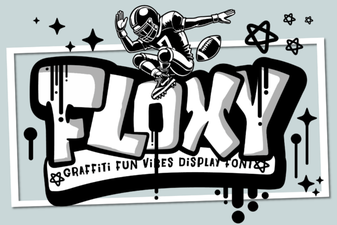 Floxy Font: Creative Ideas for Typography Projects
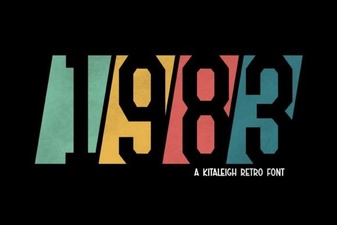 Classic 1983 Font for Modern Digital Design
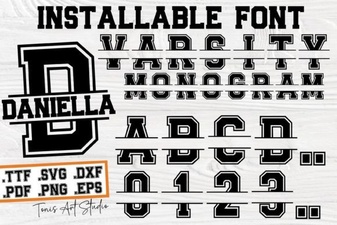 Craft Your Own Varsity Letter Monogram