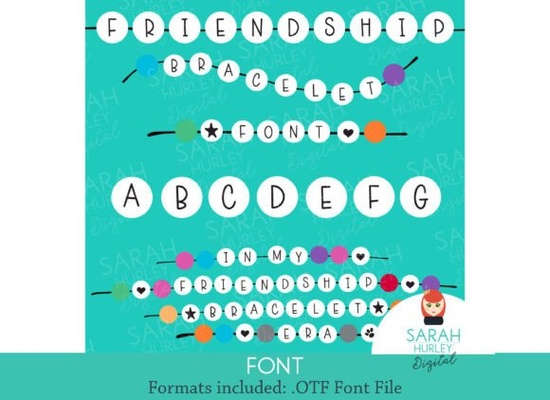
If you need a typeface that instantly brings back summer camp memories and handmade charm, Friendship Bracelet Font delivers exactly that. Each character sits inside a rounded bead shape, giving your text a tactile, nostalgic feel without sacrificing readability. Whether you are designing birthday invites, kids’ activity sheets, or print-on-demand stickers, this playful display font keeps your message light and approachable.
What makes this bead-style lettering work for everyday projects?
Consistent spacing and clear letterforms make it reliable. Even though every glyph is wrapped in a decorative circle, the underlying structure follows standard proportions. You can type full phrases without worrying about overlapping shapes. The uniform bead outline creates a built-in background, saving you from adding extra borders. It keeps inner spaces open, so legibility stays strong. Set your text between 36 and 72 points for digital layouts, or scale it to at least 1.5 inches tall for physical prints.
Where should you use a playful display font like this?
This style shines when your goal is to spark joy or signal a hands-on vibe. Here are a few practical applications:
- Kids’ party stationery: Invitations, favor tags, and cupcake toppers.
- Scrapbook titles: Quick focal points that stand out against patterned paper.
- Print-on-demand merchandise: Stickers, tote bags, and water bottle labels.
- Classroom materials: Reward certificates and reading charts for young learners.
Reserve it for headlines or short phrases, and pair it with a clean body font so customers can scan details without strain.
How do you match it with other colorful typefaces?
Mixing decorative fonts can look cluttered, but simple rules keep layouts balanced. Choose one statement font for the main headline, then step back to a neutral companion for supporting text. If you enjoy rounded aesthetics, you might explore a soft rainbow lettering style for secondary accents while keeping the bead font as your primary focus. When you want to stay within the same handmade theme, browsing a bracelet-inspired collection can give you matching icons that keep your design cohesive.
Color choices matter just as much as font pairing. Since each letter already carries a circular frame, stick to two or three complementary colors maximum. If you plan to sell digital templates, include a version in solid black. Many buyers prefer a neutral base they can recolor in Canva or Illustrator without fighting pre-set gradients.
What should you check before adding it to your toolkit?
Run through a quick practical check before downloading. Verify the file formats first. Most craft workflows need both OTF and TTF files for desktop installation. Review the license terms carefully, since personal use covers home crafts but selling products requires a commercial license. Finally, test a few sample words in your actual design program. A quick test print will show you how the bead edges render on your specific paper or vinyl.
To see how this style compares with other craft-ready typefaces, you can browse Friendship Bracelet Font alongside similar display options. Comparing spacing and character sets side by side helps you pick the exact version that matches your workflow.
Quick setup checklist before you start designing
- Install both OTF and TTF files, then restart your design app.
- Type a test phrase at 48pt and print it on your target material.
- Pair the headline with a simple sans serif for fine print.
- Limit your palette to three colors to keep letterforms clear.
- Confirm your license covers print-on-demand or client projects.
Take a few minutes to run through these steps, and you will avoid common formatting headaches. When your files are organized and your test prints look sharp, you can focus on creating designs that feel personal, playful, and ready to share.
Try It Free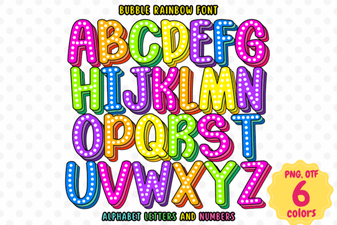 Bubble Rainbow Font Design Ideas & Creative Uses
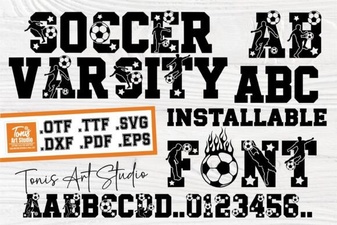 Ab Soccer Font: Design & Diy Jersey Ideas
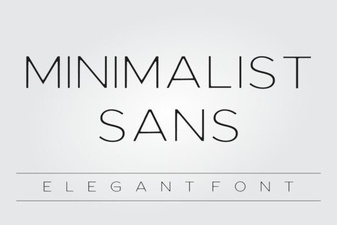 Minimalist Sans Fonts for Clean Design Projects
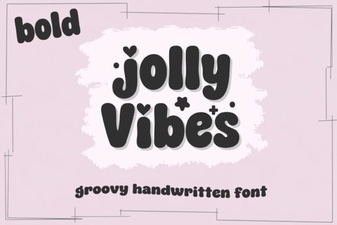 Creative Designs with Jolly Vibes Bold Font
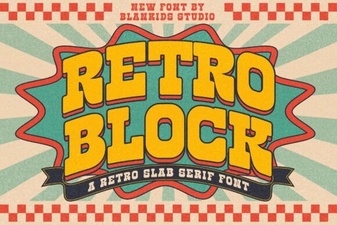 Retro Block Fonts for Creative Design Projects
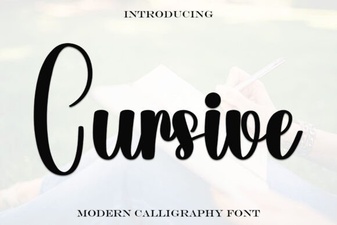 Elevate Your Design with Elegant Cursive Fonts