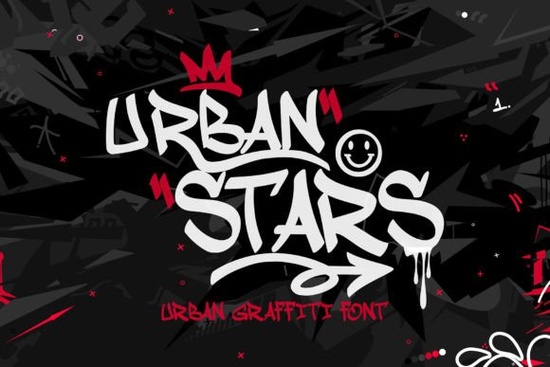
If you are looking for a handwritten typeface that captures the raw energy of street art without sacrificing readability, Urban Stars Font delivers exactly that. This monoline graffiti script keeps a consistent stroke weight from start to finish, which means your letters stay clean and balanced even when you scale them up for posters or shrink them down for product tags. Designers, print-on-demand sellers, and crafters often struggle to find a script that feels spontaneous but still prints clearly. This font bridges that gap by pairing freehand movement with carefully placed swashes that add personality without cluttering the layout.
What makes this graffiti-style script different from typical handwriting fonts?
Most handwriting fonts try to mimic casual pen strokes, but they often end up looking uneven or overly decorative. This typeface takes a different approach. It uses a single continuous line for every character, which creates a smooth, predictable rhythm across your text. The built-in swashes are tucked into the letterforms rather than hanging off the edges, so they enhance the design instead of fighting for space. If you have tried pairing a bold display font with something like a relaxed homegrown script, you already know how important it is to keep the baseline steady. This font does that work for you, making it easier to align text on mugs, t-shirts, and digital mockups.
Which projects work best with an urban monoline typeface?
The clean lines and street-inspired personality make it a strong fit for projects that need a modern, slightly edgy feel. Think about:
- Apparel graphics for streetwear brands or local event merch
- Poster headers, gig flyers, and album cover titles
- Social media quotes that need a hand-drawn but polished look
- Product packaging for urban-themed candles, stickers, or art prints
When you are building a layout, you can pair it with a simple sans serif for body copy, or mix it with a softer handwritten style like a gentle September duo script to balance the bold energy. Small business owners often use this kind of contrast to keep branding fresh without overwhelming the customer.
How do the swashes and continuous lines affect readability?
Swashes can quickly turn a beautiful font into a tangled mess if they are too long or poorly spaced. Here, the decorative strokes are woven directly into the character structure. That means you get the artistic flair of freehand graffiti, but the letter spacing remains predictable. The monoline weight also helps. Because every stroke shares the same thickness, your eyes move across the word without getting stuck on heavy downstrokes or thin hairlines. If you have worked with playful display types like a lighthearted cartoon script, you know that consistent weight makes a huge difference when printing on textured materials or dark fabrics.
What should you check before adding it to your design toolkit?
Before you commit to any new typeface, it helps to run a quick practical test. Start by typing out your most common phrases in uppercase and lowercase. Check how the swashes interact with punctuation and numbers. If you plan to use it for cut files or vinyl decals, verify that the continuous lines do not create overlapping paths that could confuse your cutting software. You can also compare it against cleaner farmhouse styles like a crisp picket fence script to see which mood fits your current project. If you want to explore ready-made layouts that already use these letterforms, you can browse the complete urban stars script collection for extra design assets. For licensing and commercial use details, you can review the Urban Stars Font page directly. Always keep a copy of your license receipt in your project folder, especially if you sell physical goods or digital templates.
How do you get the best results when printing or cutting?
Monoline scripts behave differently depending on your output method. If you are screen printing or using heat transfer vinyl, increase the letter spacing slightly so the continuous lines do not bleed together. For digital prints, stick to high-resolution PNG or vector exports to keep the smooth curves sharp. When working with Cricut or Silhouette machines, weld the text before cutting so the software treats the swashes as a single shape rather than separate overlapping lines. A quick test cut on scrap material will save you time and material waste.
Before you move forward with your next design, run through this quick setup list:
- Test your headline at both small and large sizes to confirm readability
- Adjust tracking by 10 to 20 points if the swashes feel too tight
- Weld or merge overlapping paths before sending to a vinyl cutter
- Pair with a neutral sans serif for longer descriptions or pricing text
- Save your font license in the same folder as your final export files
Keep these steps in mind, and you will get clean, consistent results every time you bring this urban script into your workflow.
Explore Design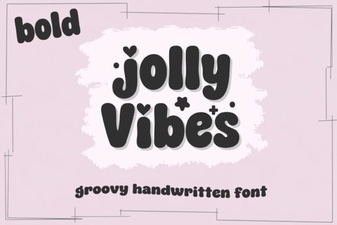 Creative Designs with Jolly Vibes Bold Font
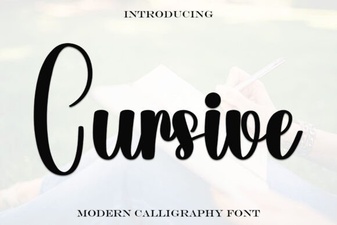 Elevate Your Design with Elegant Cursive Fonts
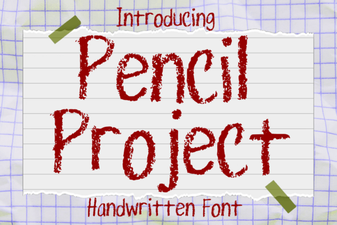 Design Your Website with the Pencil Project Font
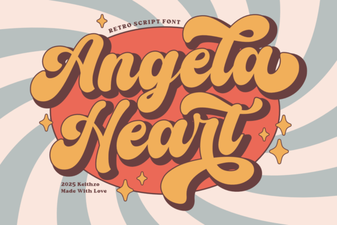 Angela Heart Fonts for Creative Designs & Craft Projects
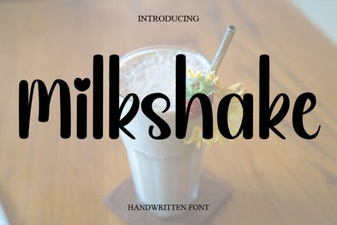 Milkshake Font Designs for Creative Typography
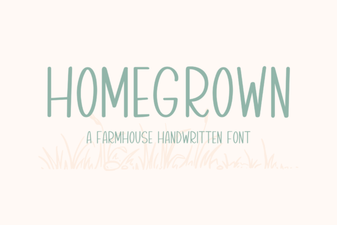 Craft Your Own Font: a Homegrown Design Project